
How do I organize travel plans without a spreadsheet?
Forward your booking confirmation emails to a tool that reads them directly — like Reveldays — and it builds the day-by-day trip for you, costed and in order. No spreadsheet, no manual entry.
A simple way to organize travel plans: forward your booking emails and get a costed, day-by-day trip automatically — no spreadsheet required.
Why a spreadsheet is the default, and where it breaks
A spreadsheet is the natural first tool because it's flexible and free. It breaks down as a trip grows: someone has to type in every flight time and hotel date by hand, keep the rows in order as bookings change, and add a formula to track spending — and it's easy for the sheet to fall out of sync with what's actually booked.
Organizing plans by forwarding, not typing
The details in a spreadsheet — dates, times, place, cost — already exist in the confirmation email you were sent. Forwarding that email to a tool built to read it means the trip organises itself in the order things happen, without anyone retyping a single date.
What 'organized' should include
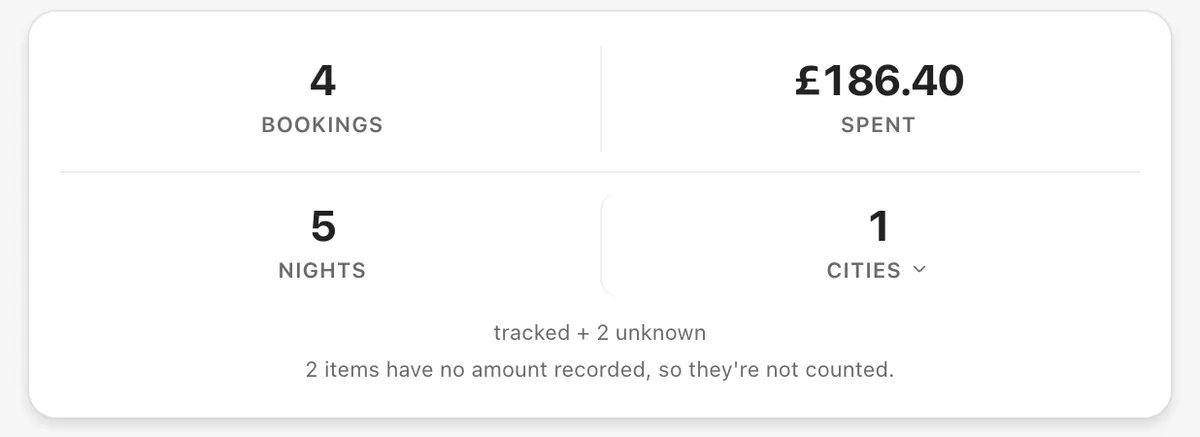
A well-organised trip isn't just a list — it shows what's confirmed and what's still a gap, roughly what everything costs, and where each booking is happening. That's harder to keep current in a spreadsheet than it is when bookings file themselves as they arrive. (Some people write it as organise a trip; the mechanic is the same either way.)
How Reveldays does it
Forward each booking confirmation to your Reveldays import address, or upload it as a PDF. It's read, costed and placed on the right day of your trip automatically — free, with no limit on how many you send.
Questions
- Do I need to set anything up before forwarding a booking?
- No — just forward the confirmation email to your Reveldays import address, or upload the PDF, and it's filed into the matching trip.
- Can I still see everything if I only book some things through Reveldays?
- Yes — you can add anything booked outside an email by hand, so the trip stays complete either way.
- What if two bookings are for different trips at the same time?
- Reveldays matches each booking to a trip by its dates and destination, so overlapping trips file separately.
Ready when you are.
Checked 19 September 2026.
Reveldays makes these pages.
Keep reading
- How do I keep all my travel bookings in one place?Forward each booking confirmation email to Reveldays. It reads the flight, hotel, car or reservation, works out which trip it belongs to, and files it there automatically — free, with no limit.
- Is there a free app to organize travel bookings?Yes — Reveldays is free to use for organising your bookings, with no limit and no card required. Forward your confirmation emails and it builds the trip for you.
- Free AI trip plannerDescribe the trip; get days, costed and mapped.