
How do I keep all my travel bookings in one place?
Forward each booking confirmation email to Reveldays. It reads the flight, hotel, car or reservation, works out which trip it belongs to, and files it there automatically — free, with no limit.
A free way to keep flights, hotels and car hire in one place: forward the confirmation emails and Reveldays files them into the right trip automatically.
Why bookings end up scattered
A single trip can produce a dozen separate emails: a flight from one airline, a hotel from a booking site, a car from a rental company, a table booked through a reservation app. Each lands in your inbox alone, with no shared view of the trip they belong to. Most people either re-type everything into a spreadsheet or just search their inbox later and hope.
The one-place fix: forward, don't retype
Forward the confirmation email to your Reveldays import address, or upload it as a PDF if that's all you have. Reveldays reads the flight number, dates, hotel name or car details, and matches it to the right trip by dates and destination. You never type a booking in by hand.
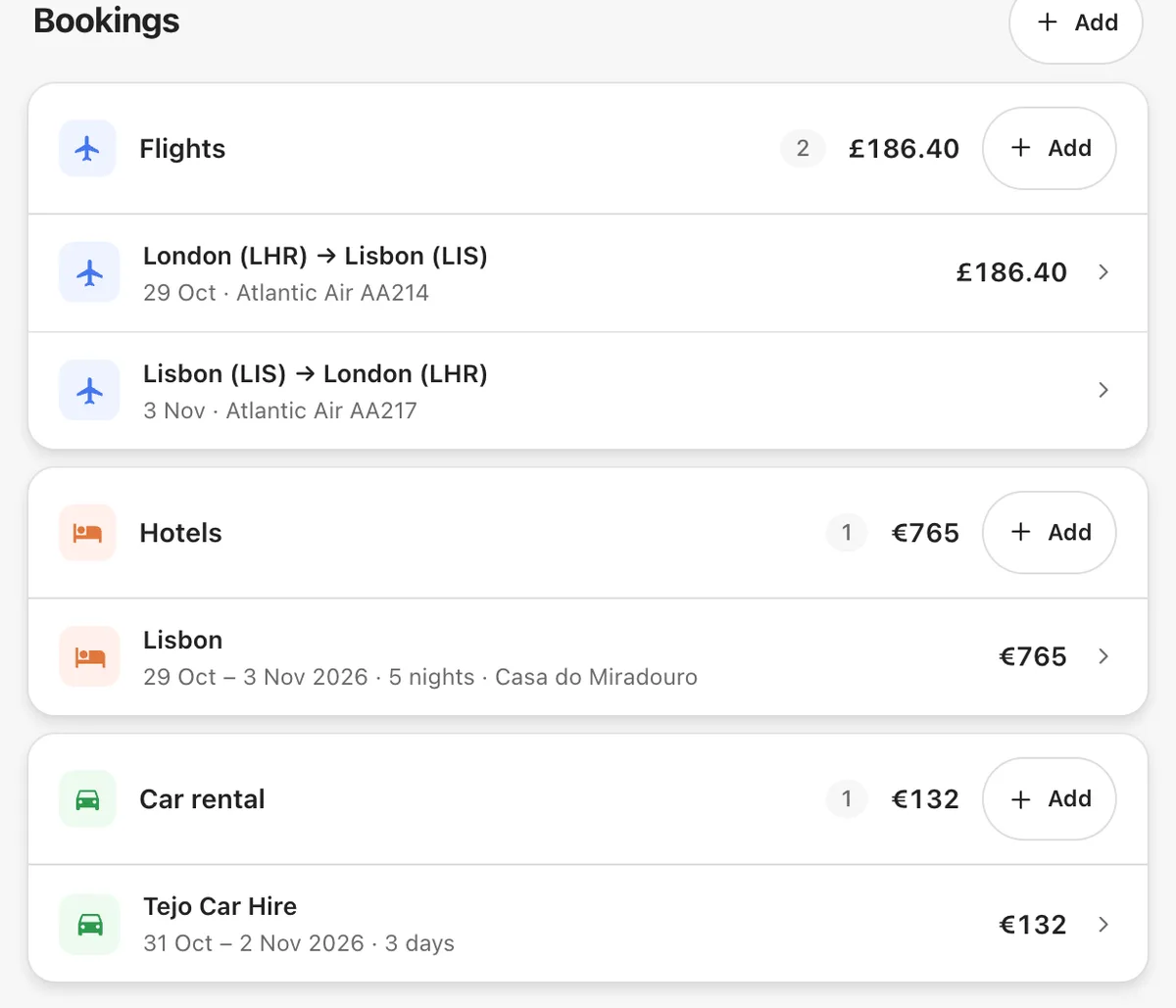
What it looks like once everything is in one place
Every booking for a trip shows up on one timeline, costed and mapped, in the order it happens. You can see the whole trip at a glance instead of scrolling back through old emails to check a check-in time or a confirmation number.
How Reveldays does it
Forward a booking to your Reveldays import address, or upload the PDF from your app or Settings. Reveldays extracts the details and files it straight into the matching trip — no manual entry, no limit on how many you send.
Questions
- Is there a limit to how many bookings I can forward?
- No. Filing booking emails is free and unlimited, however many trips you're organising.
- What if I don't have the confirmation email anymore?
- Upload the booking as a PDF instead — a downloaded confirmation or a saved receipt works the same way.
- Do I need to tell it which trip a booking belongs to?
- Usually not — Reveldays matches it by dates and destination. If it can't tell, it asks you once.
Ready when you are.
Checked 19 September 2026.
Reveldays makes these pages.
Keep reading
- How do I turn confirmation emails into an itinerary?Forward or upload each confirmation email to Reveldays. It reads the dates, times and place, and builds them into a day-by-day itinerary for the right trip — no copy-pasting into a document.
- How do I organize travel plans without a spreadsheet?Forward your booking confirmation emails to a tool that reads them directly — like Reveldays — and it builds the day-by-day trip for you, costed and in order. No spreadsheet, no manual entry.
- Free AI trip plannerDescribe the trip; get days, costed and mapped.