
Why isn't Gmail adding my flights to my calendar?
Gmail's automatic calendar events only trigger for confirmation emails in a format Google recognises, from a limited set of airlines and booking sites. A forwarded, reformatted, or unusual confirmation often doesn't qualify, so nothing appears.
Gmail's automatic flight-to-calendar events don't work for every airline or every email format. Here's why, and a way to get a full flight itinerary anyway.
How Gmail's automatic flight events actually work
Gmail scans certain incoming emails for a recognised booking format and, when it finds one, quietly adds an event to Google Calendar with your flight time. This only happens for emails Gmail can parse in that specific format — it isn't reading every travel email the same way, and it doesn't cover every airline or agency.
Common reasons a flight doesn't show up
The email arrived already forwarded (forwarding often strips or changes the formatting Gmail relies on), it came from a booking site or travel agent rather than the airline directly, it's a PDF attachment rather than the email itself, or it's simply from a sender Gmail's parser doesn't cover. None of this means the booking is wrong — Gmail just isn't reading that particular email as a flight.
What to check first
Look at Google's own help pages for events from Gmail — Google documents which senders and formats are supported, and it changes over time. If your confirmation isn't from a supported sender, adding it to your calendar by hand, or using a tool built to read the full email, is the more reliable path.
How Reveldays does it
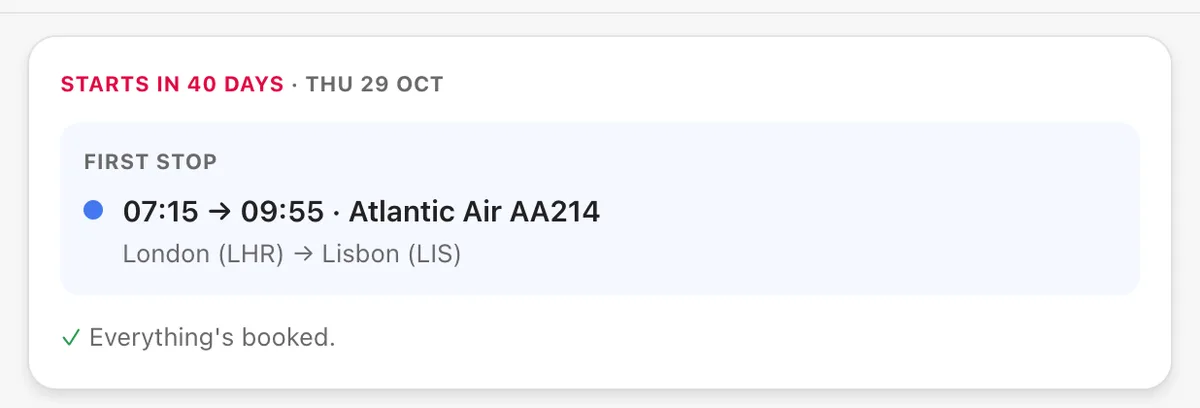
Instead of relying on a fixed list of recognised senders, Reveldays reads the confirmation email itself when you forward or upload it, and places the flight — and every other booking — into your trip's timeline, whichever airline or agency it came from.
Questions
- Is my flight booking wrong if it doesn't appear in Google Calendar?
- No — Gmail's automatic events are a convenience feature with limited coverage. Your booking itself is unaffected.
- Does forwarding a flight email always break Gmail's automatic detection?
- Often, yes — forwarding can change the email's formatting in a way Gmail's parser no longer recognises, even when the original confirmation would have worked.
- Will an app that reads confirmation emails work for any airline?
- One built to read the email content itself, rather than match a fixed list of senders, isn't limited to specific airlines — Reveldays works this way.
Ready when you are.
Checked 19 September 2026.
Reveldays makes these pages.
Keep reading
- How do I turn confirmation emails into an itinerary?Forward or upload each confirmation email to Reveldays. It reads the dates, times and place, and builds them into a day-by-day itinerary for the right trip — no copy-pasting into a document.
- How do I keep all my travel bookings in one place?Forward each booking confirmation email to Reveldays. It reads the flight, hotel, car or reservation, works out which trip it belongs to, and files it there automatically — free, with no limit.
- Free AI trip plannerDescribe the trip; get days, costed and mapped.